You need a short video for your homepage, your launch or your ads. You open a blank document, type “Meet [Product], the AI-powered platform that…”, and stop.
Either the script turns into a feature list read aloud, or it runs to 300 words and would take two and a half minutes to narrate.
A 60-second explainer has room for roughly 130 to 150 spoken words. Every sentence has to earn its place, and the order matters more than clever wording.
This guide walks you through writing a first draft from scratch, in one sitting, without any video experience.
By the end you will have a 130 to 150 word script, split into timed scenes, ready to record yourself or hand to a video producer.
What you need before you start
Plan for about 60 to 90 minutes. Gather these inputs first so you write instead of searching:
- Your one-sentence explanation. If you do not have one yet, write it first with our guide on how to explain your AI SaaS in one sentence without technical jargon. It becomes the backbone of the script.
- One specific viewer. The person who will watch this video: role, team size, and the situation they are in when they find you.
- The problem in their words. Two or three phrases lifted from sales calls, support emails, reviews or forum posts.
- One core workflow. The single path through your product that best shows its value.
- One honest outcome. What is different for the customer afterwards. Only claims you can stand behind today.
- One call to action. The one thing a viewer should do when the video ends: start a trial, book a demo, join a waitlist.
Step-by-step: write your 60-second script
-
Fix the word budget before you write
Most voiceovers run at about 130 to 150 words per minute when read at a calm, clear pace.
Aim for 130 to 150 words in total, and keep a few seconds free at the start and end for the logo and the call to action screen.
If you write more than 160 words, the narrator will rush or the video will run long.
-
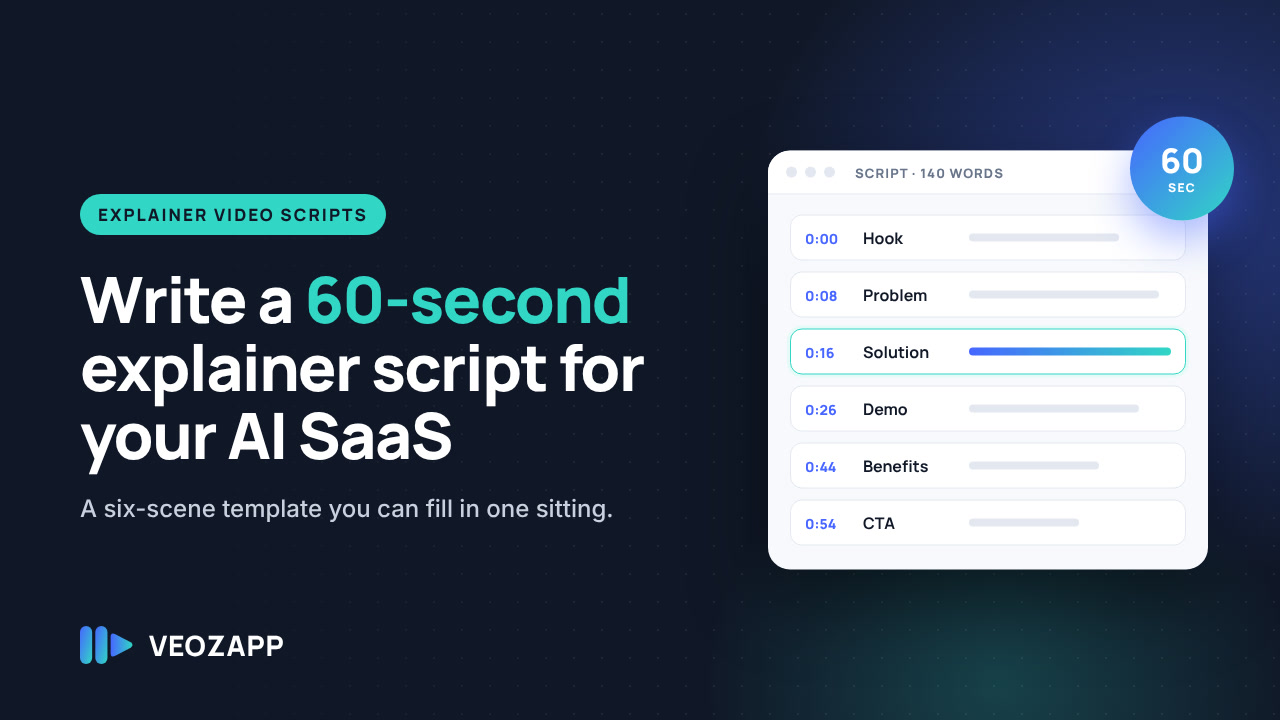
Split the minute into six scenes
A simple structure keeps you from wandering. Use these six beats and approximate word counts:
- Hook (0–9 s, about 20 words): a moment the viewer recognises from their own day.
- Problem (9–18 s, about 20 words): what that moment costs them.
- Introduction (18–25 s, about 15 words): your product’s name and your one-sentence explanation.
- How it works (25–43 s, about 40 words): the core workflow in two or three visible steps.
- Outcome (43–52 s, about 20 words): what changes for the viewer.
- Call to action (52–60 s, about 15 words): one clear next step.
-
Write the hook as a scene, not a slogan
Do not open with your product name or with a question like “Tired of wasting time?”.
Open with something the viewer could picture happening to them this week. A concrete situation (“Your inbox fills up overnight”) makes the right person lean in.
-
State the cost of the problem plainly
Say what the problem makes people do, using their own words from your notes. Avoid invented statistics.
“Your agents retype the same answers all morning” is believable and visual. “Teams lose 37% of their productivity” is a number a viewer cannot check and you probably cannot prove.
-
Introduce the product with one sentence
Name the product and say what it does, using your one-sentence explanation, trimmed if necessary.
Keep the technology out of it: say what the product does, not which model it runs on.
-
Show how it works in steps someone could film
Write two or three short steps that match what will be on screen: open, review, send. Each step should be a verb a viewer can watch happen.
If your product has a safeguard that builds trust (a human reviews the output, the tool says when it does not know), mention it here in one sentence.
For AI products, that detail often makes buyers believe the rest.
-
End the story with the outcome, then the action
Describe what is different for the viewer once they use the product, in observable terms.
Then give one call to action. One verb, one destination.
-
Read it aloud, time it and cut
Read the full script aloud at a natural pace with a timer running. If it takes more than 60 seconds, cut whole sentences before trimming individual words.
Remove adjectives, second examples and features that do not appear on screen. Most first drafts need two or three rounds.
Worked example: Replyhaven (a fictional product)
As in our other Veozapp articles, we use a fictional product for the example. Replyhaven is not a real company.
It is an AI customer-support tool for small support teams that drafts replies to customer tickets from the team’s existing help documents.
Inputs:
- One-sentence explanation: “Replyhaven drafts replies to customer tickets from your own help articles, so small support teams spend less time typing the same answers.”
- Viewer: the lead of a support team of two to ten people at a software company.
- Problem in their words: “the same questions every day”, “digging through the help centre”, “urgent tickets get buried”.
- Core workflow: a ticket arrives, a draft appears with the help articles it used, an agent checks it and sends it.
- Outcome: less retyping, consistent answers, more time for complex tickets.
- Call to action: start a free trial.
A typical first attempt (too long, too technical):
Meet Replyhaven, the AI-powered support platform built on state-of-the-art large language models and retrieval-augmented generation. Replyhaven integrates seamlessly with your helpdesk, ingests your knowledge base, and automates ticket resolution with intelligent, context-aware responses…
It opens with the product name and describes the mechanism instead of the viewer’s day.
The draft after following the eight steps (134 words, about 57 seconds read aloud):
| Scene | Time | Voiceover | On screen |
|---|---|---|---|
| 1. Hook | 0–9 s | Your support inbox fills up overnight. And most of those tickets ask questions your team has already answered many times. | An inbox list growing, several subject lines nearly identical. |
| 2. Problem | 9–18 s | So your agents spend the morning searching the help centre and retyping the same answers, while urgent tickets wait in the queue. | An agent switching between a help article and a reply box; an “urgent” ticket sliding down the list. |
| 3. Introduction | 18–25 s | Replyhaven changes that. It drafts a reply to every new ticket, using your own help articles. | Replyhaven logo, then the product interface. |
| 4. How it works | 25–43 s | Open a ticket, and the draft is already there, with links to the articles it used. Your agent reads it, edits if needed, and sends. If your help centre does not cover the question, Replyhaven says so instead of guessing. | Ticket opened, draft visible with source links; cursor edits one line and clicks Send; a second ticket shows a “No matching article” note. |
| 5. Outcome | 43–52 s | Your team types less, answers stay consistent, and agents keep their energy for the tickets that really need a person. | Queue clearing; an agent focused on a single complex conversation. |
| 6. Call to action | 52–60 s | Connect your help centre, open your inbox, and see your first drafts today. Try Replyhaven free. | End card: logo, “Try Replyhaven free”, website address. |
Notice what is missing: no mention of language models, no list of integrations, no percentages.
Notice also what stayed: the human review and the “says so instead of guessing” line.
For an AI support tool, those two sentences answer the buyer’s biggest silent question, which is “will it send something wrong to my customers?”
Your deliverable: the 60-second script template
Copy this template into a document. Fill in the voiceover column first, then the on-screen column.
When the word count lands between 130 and 150 and your read-aloud time is under 60 seconds, your first draft is done.
| Scene | Time | Target words | Prompt | Voiceover | On screen |
|---|---|---|---|---|---|
| 1. Hook | 0–9 s | ~20 | A moment from the viewer’s week they will recognise. | ||
| 2. Problem | 9–18 s | ~20 | What that moment forces them to do, in their own words. | ||
| 3. Introduction | 18–25 s | ~15 | Product name plus your one-sentence explanation. | ||
| 4. How it works | 25–43 s | ~40 | Two or three visible steps, plus one trust detail. | ||
| 5. Outcome | 43–52 s | ~20 | What is different afterwards, stated honestly. | ||
| 6. Call to action | 52–60 s | ~15 | One action, one destination. |
Checklist before you call it a first draft:
- Total voiceover between 130 and 150 words.
- Read aloud at a natural pace in 60 seconds or less.
- The first sentence describes the viewer’s situation, not your product.
- The product name appears no earlier than scene 3.
- Every step in scene 4 could be shown on screen.
- No technical term a buyer outside your field would need to look up.
- No statistic, customer name or result you cannot prove.
- Exactly one call to action.
Common mistakes
- Starting with “Meet [Product]”. The first seconds decide whether someone keeps watching. Your product name means nothing to them yet; their own problem does.
- Writing for the reader instead of the listener. A sentence that looks fine on paper can be hard to say. Long clauses, brackets and lists of three adjectives trip narrators up. If you stumble reading it aloud, rewrite it.
- Turning scene 4 into a feature tour. Showing five features in 18 seconds means the viewer remembers none. Pick one workflow and let the others wait.
- Describing visuals that do not exist. If the script says “see every conversation in one dashboard” but that screen is still being redesigned, the producer has nothing to show. Write to the product as it is today.
- Several calls to action. “Start a trial, book a demo or follow us” splits attention. Choose the one that matches where the video will be shown.
Do you need a produced video at all?
Not always. If you are still talking to your first ten customers, reading this script over a two-minute Loom screen recording is often enough.
A produced explainer makes more sense once the message is stable and the video will be seen by people who have never spoken to you: on your homepage, in ads, on a launch page.
Either way, the script is where the clarity comes from. Keep improving yours: test the hook on people outside your industry, time it, and cut again.